
Meet Maya and Carter: A First Look at the Characters of Distance
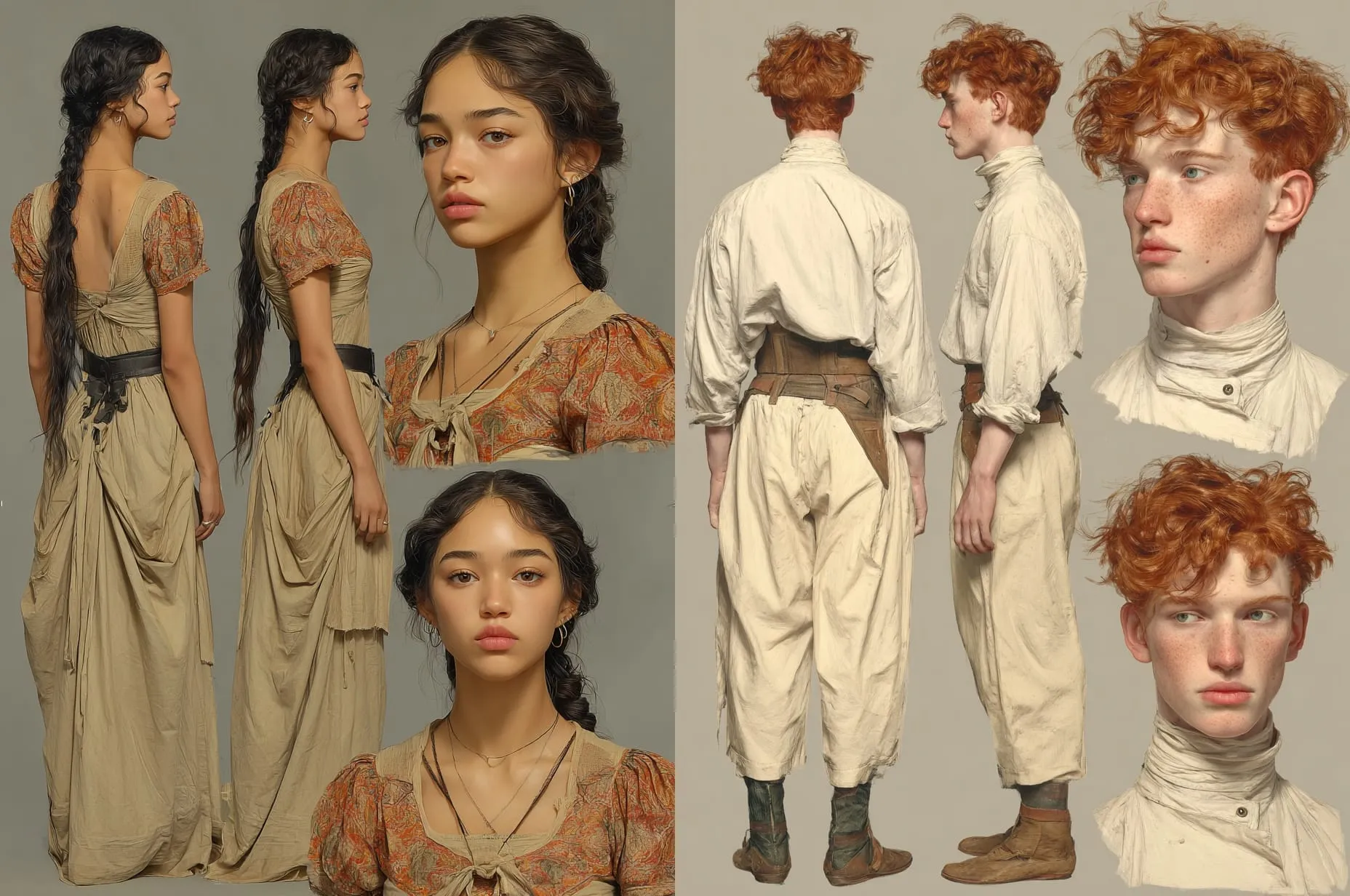
Distance features two leading characters, Carter Goldsmith and Maya. While I already have a pretty good idea of these characters’ personalities from what I’ve written of the script so far, this week I wanted to dive in and get to know them better!
Character Profiles
I decided to make a character profile for each of them. I started by describing some of their attributes:
Carter Goldsmith
Gender: Male
Age: 22
Height: 5’11”
Weight: 150 lbs.
Hair: Red
Eyes: Green
Skin: White
Location: Denver metro area, Colorado
Family: Parents, John and Erica Goldsmith, live nearby; two older sisters, Jen and Marie, younger brother Ben
Religion: Parents nondenominational Christian; self agnostic
Occupation: Software engineer, entrepreneur
Hobbies: FPV drone racing
Maya
Gender: Female
Age: 21
Height: 5’3”
Weight: 130 lbs.
Hair: Black (long)
Eyes: Dark brown (almond-shaped)
Skin: Light brown
Location: Unknown
Family: Father, previously visited her every day via the Skyglass portal, has been absent for weeks
Religion: None
Occupation: Seamstress
Hobbies: Field biology
With character profiles in hand, I headed to Midjourney to get an idea of what my characters looked like.
Character Sheets
Midjourney is currently my go-to tool for generating great-looking images from text. But it definitely takes some iteration to get what you are imagining to show up on the screen.
This was my first attempt at creating a character sheet for Carter:
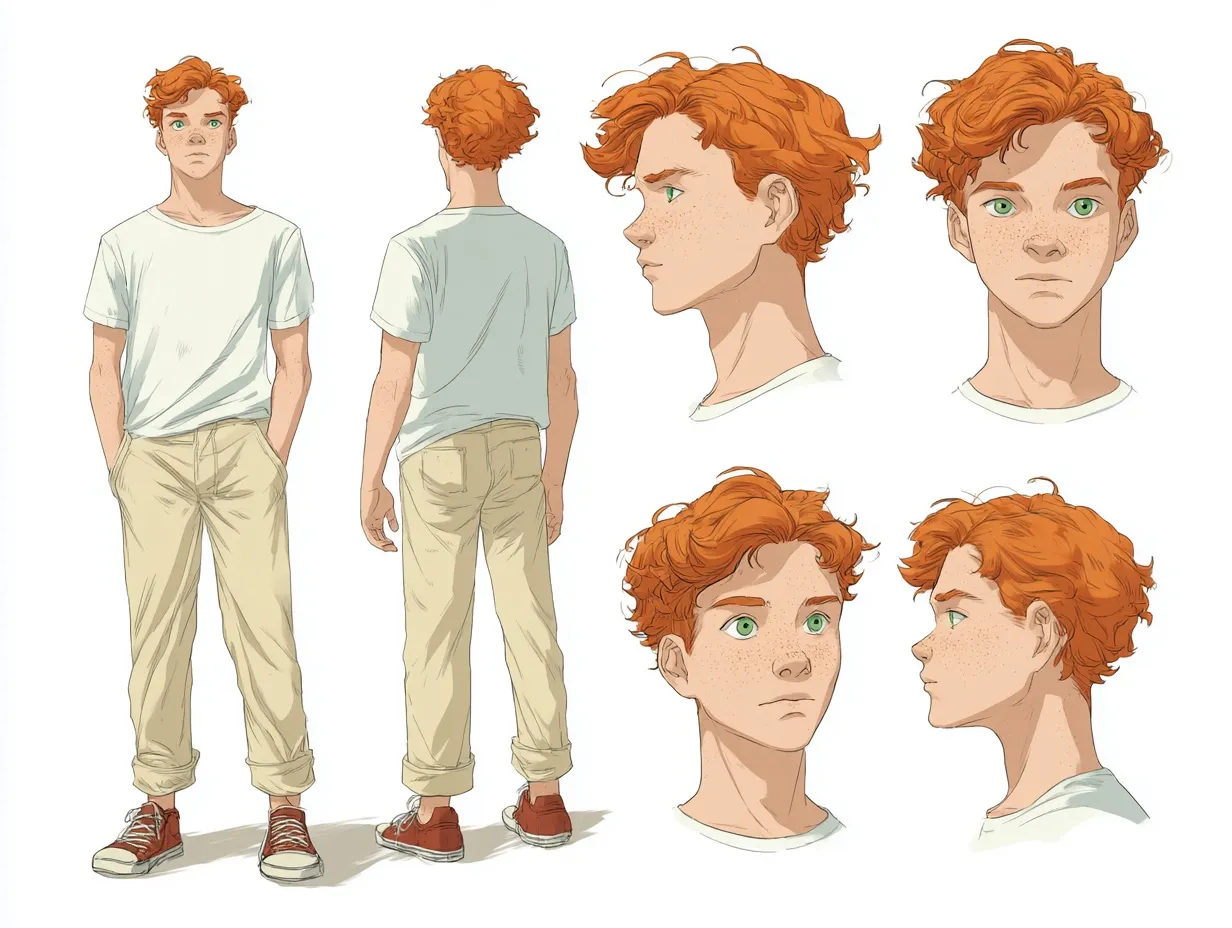
A character sheet for a 22-year-old young man. He is 5’11’ and weighs 150 pounds. He has red hair and green eyes. He has freckles. He is wearing cream-colored pants that come to his mid-calf. Show front, back, profile, and three-quarter perspectives, as well as a close-up of his face.
It seemed like my use of the words “character sheet” triggered the model to generate an illustrated representation. I decided to specifically ask for a “photographic” character sheet with a “photorealistic” appearance, and got more specific about his wardrobe. But it didn’t matter:
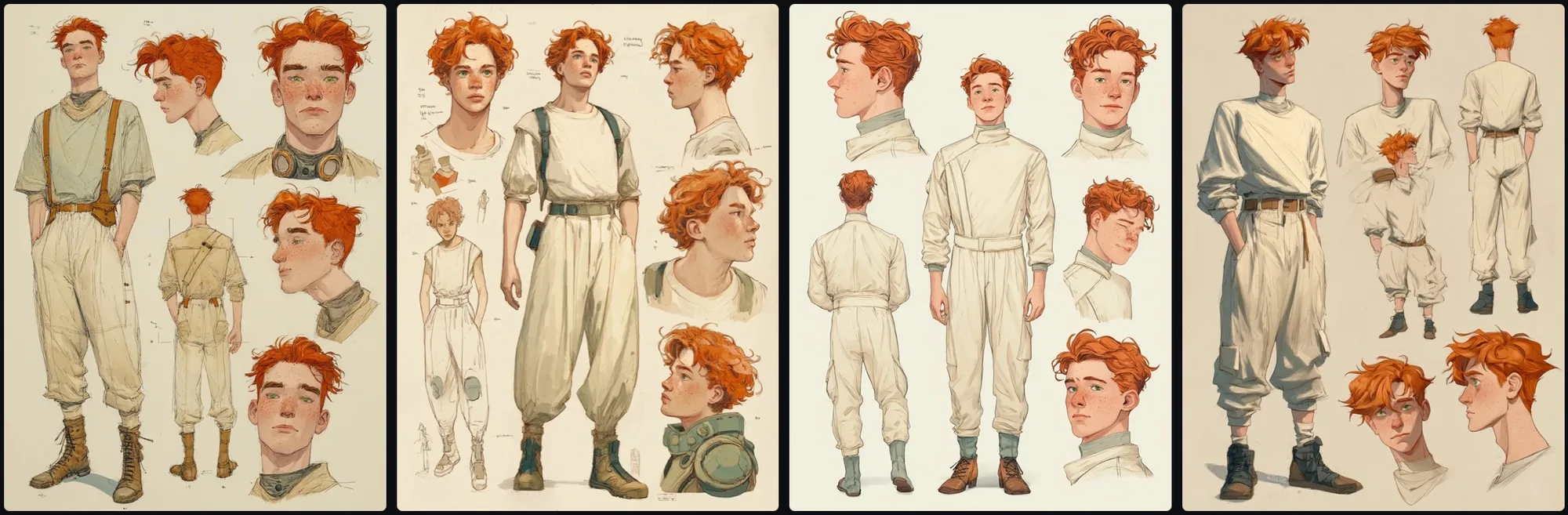
A photographic character sheet for a 22-year-old young man. He is 5’11’ and weighs 150 pounds. He has red hair and green eyes. He has freckles. He is wearing cream-colored pants that come to his mid-calf. Show front, back, profile, and three-quarter perspectives, as well as a close-up of his face. His appearance should be photorealistic. His wardrobe is from the near future, slightly sci-fi.
I liked the sci-fi aesthetic, but I wanted photoreal images. I continued refining my prompt, saying “photographs” instead of “character sheet”. I noticed that if I specified that “He is smiling”, I got a completely different style of images, even though the rest of the prompt was the same. And I needed to specify what kind of shirt he was wearing, or half the time it would assume he didn’t have one.
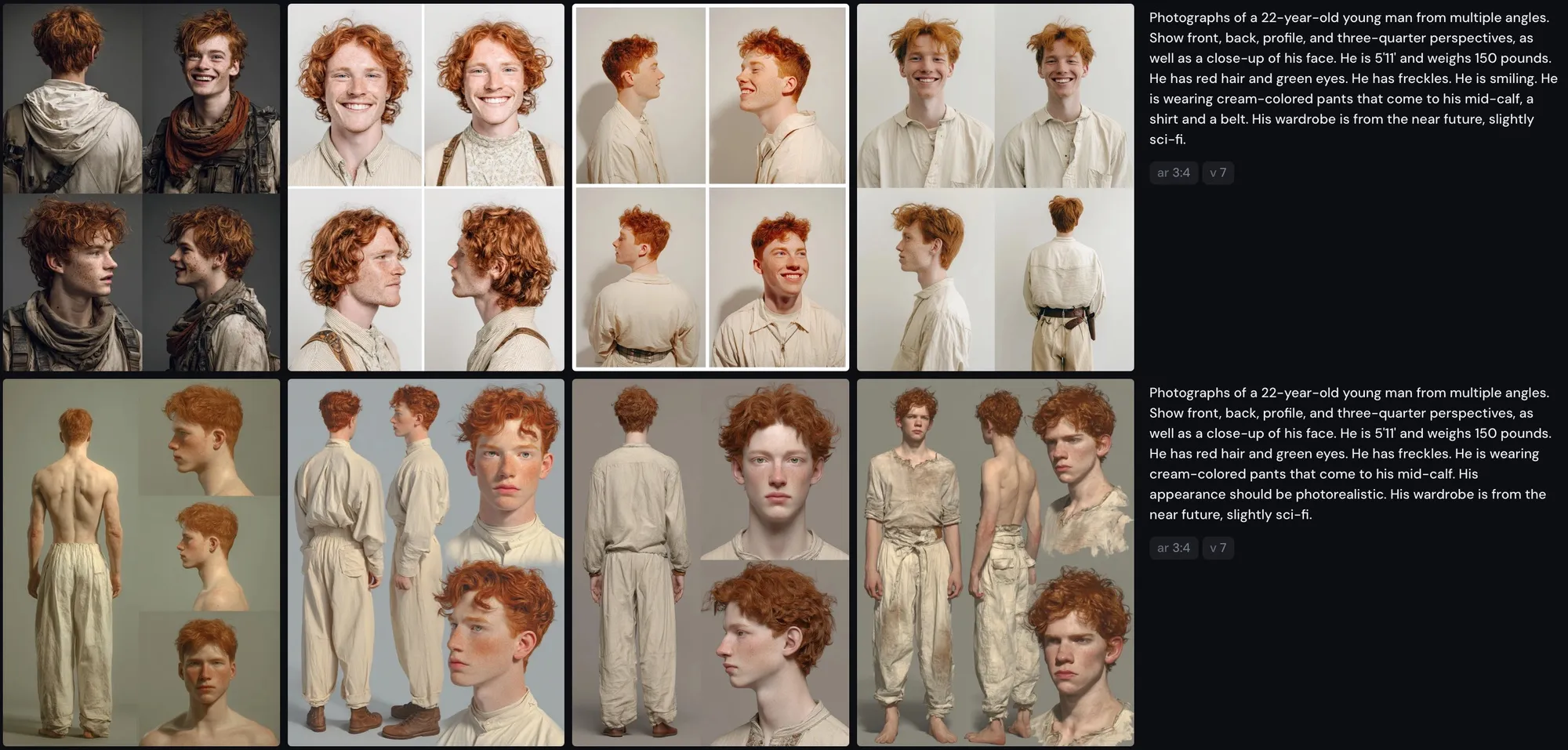
Midjourney generates 4 images for each prompt, so you get some variety to choose from. I finally got something I liked with this prompt:
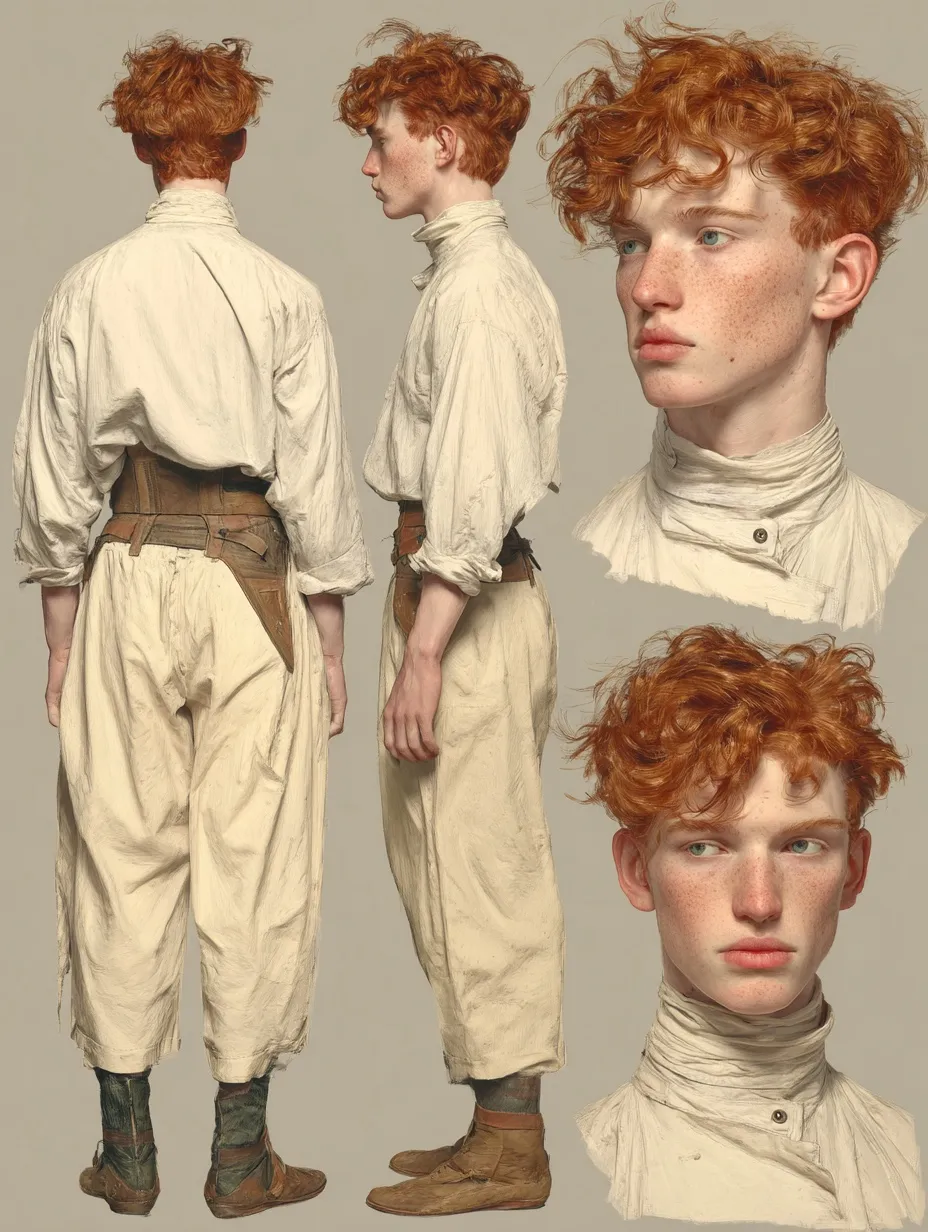
Photographs of a 22-year-old young man from multiple angles. Show front, back, profile, and three-quarter perspectives, as well as a close-up of his face. He is 5’11’ and weighs 150 pounds. He has red hair and green eyes. He has freckles. He is wearing cream-colored pants that come to his mid-calf. His appearance should be photorealistic. His wardrobe is from the near future, slightly sci-fi.
I tried a few more prompts after this, but nothing looked this good. So I decided to go with it! Nice to meet you, Carter!
Next, it was Maya’s turn. Interestingly, the same prompt structure for a female character resulted in a very different style!
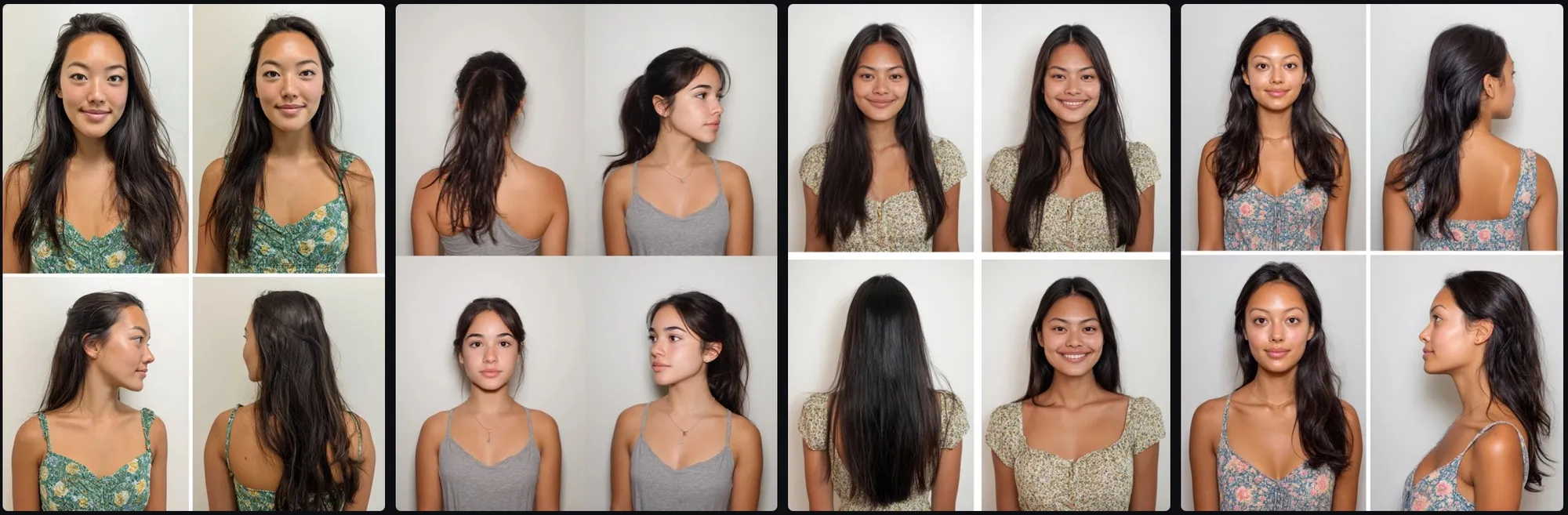
Photographs of a 21-year-old young woman from multiple angles. Show front, back, profile, and three-quarter perspectives, as well as a close-up of her face. She is 5’3’ and weighs 130 pounds. She has light brown skin, long black hair, high cheekbones, a soft jawline, and dark brown almond eyes. She is of Khmer descent. She is wearing a sleeved summer dress.
I didn’t have any luck getting a similarly-styled character sheet until I provided Midjourney with Carter’s sheet as a style reference. Midjourney has an option to upload an image to use as a style reference that it will try to match, which worked perfectly. On my second attempt, I got a striking result:
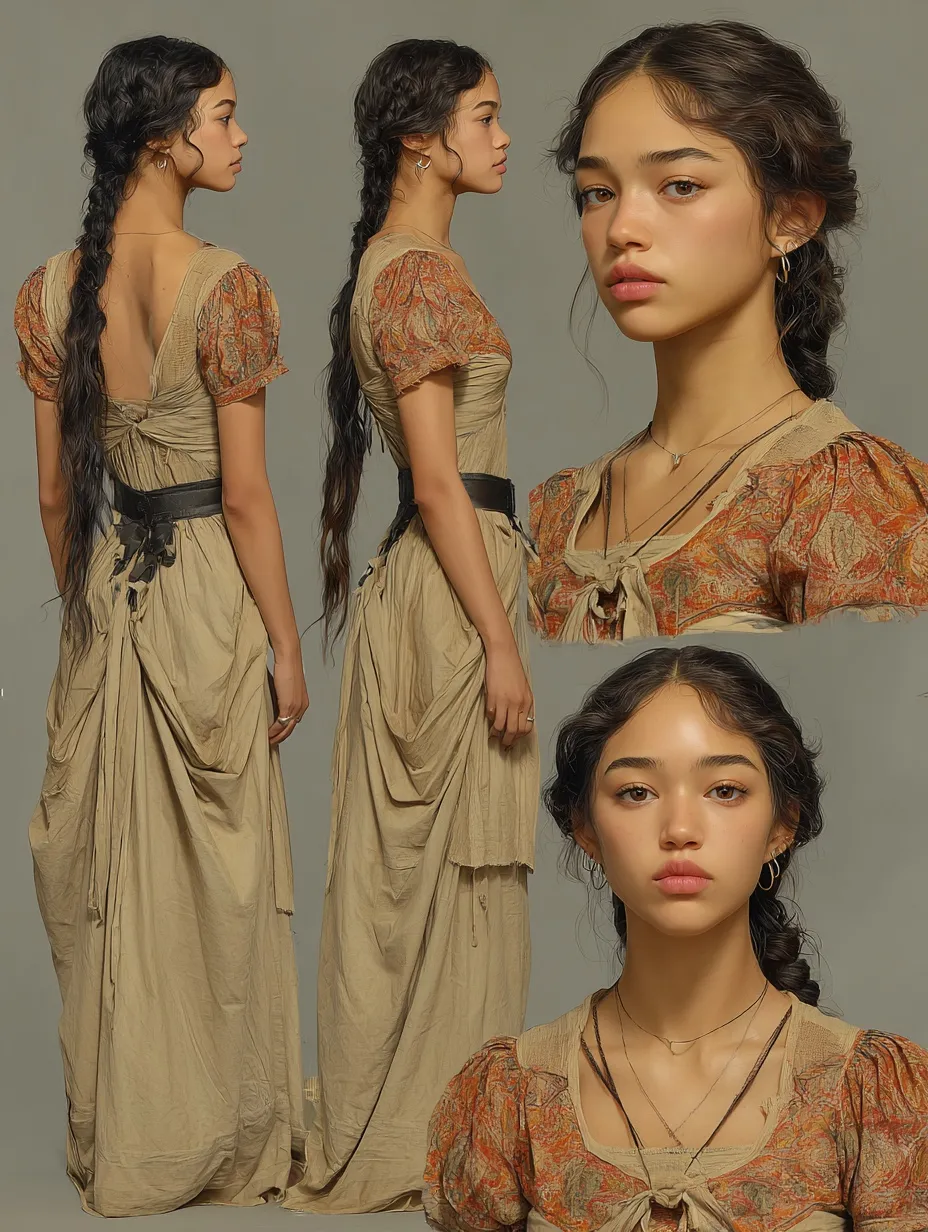
Photographs of a 21-year-old young woman from multiple angles. Show full-body front, back, profile, and three-quarter perspectives, as well as a close-up of her face. She is 5’3’ and weighs 130 pounds. She has light brown skin, long black hair, and dark brown almond eyes. She is of Cambodian descent. She is wearing a traditional summer dress with short sleeves. Her appearance should be photorealistic.
I tend to be very analytical, so my natural instinct was to try to determine the ideal character attributes logically. But for this, I just had to go by feel. Why did I choose these images, specifically? They just felt right!
Putting Them in Different Situations
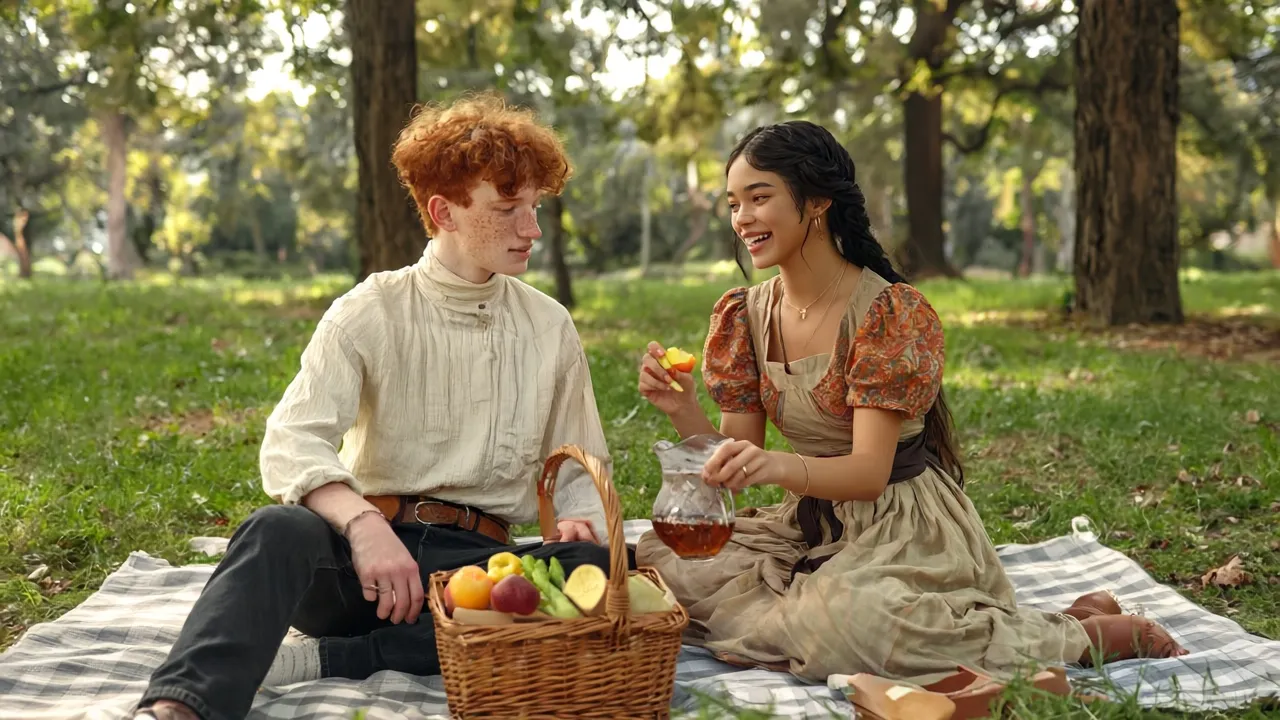
Once I had found my characters, I wanted to see what they would look like in a variety of situations. First, they needed to go on a picnic.
In addition to style references, Midjourney has a new feature called “Omni Reference” which asks for a reference image of a person or object and incorporates it into the output. It’s designed to only work with a single image, but I tried editing Maya and Carters’ character sheets side by side in a single image and providing that, and it worked pretty well!
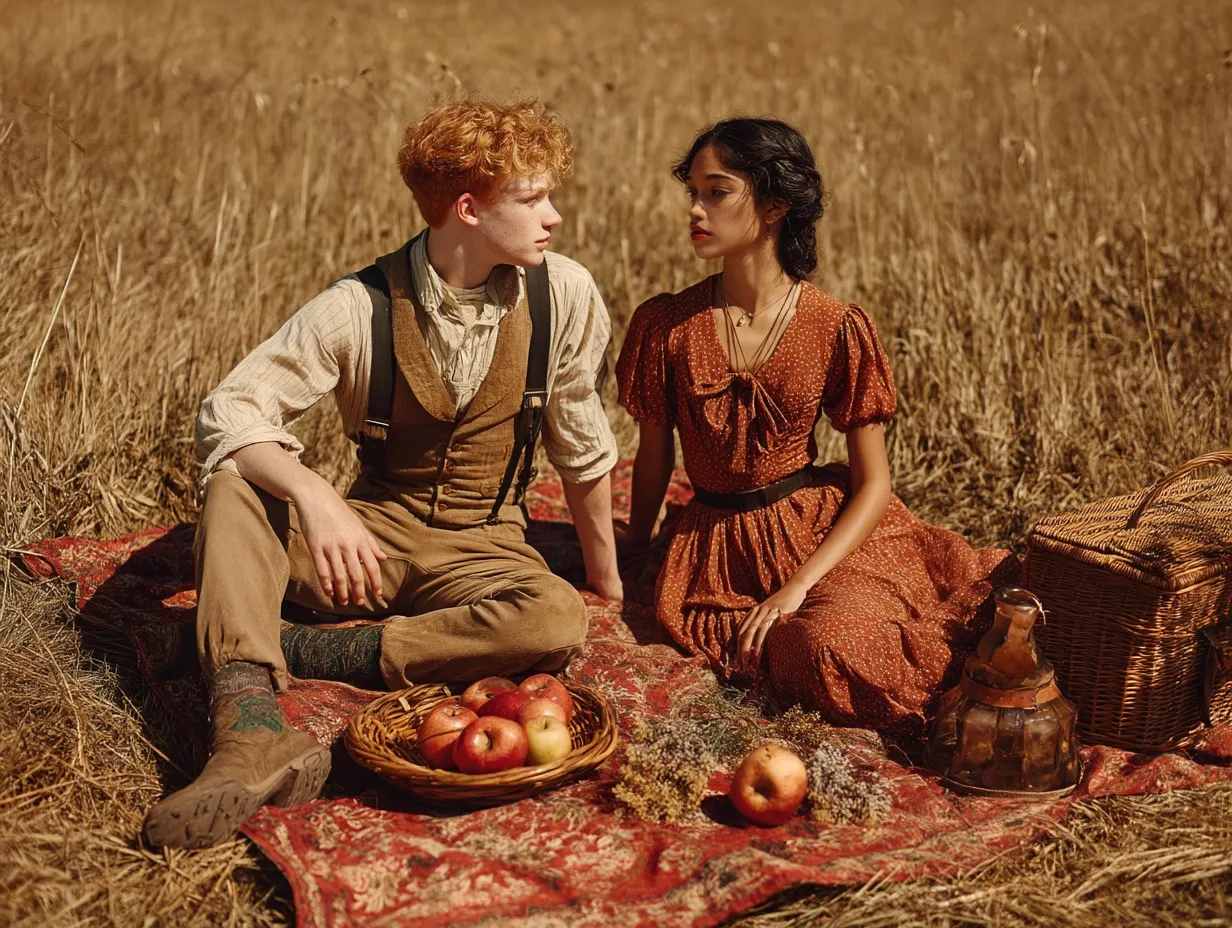
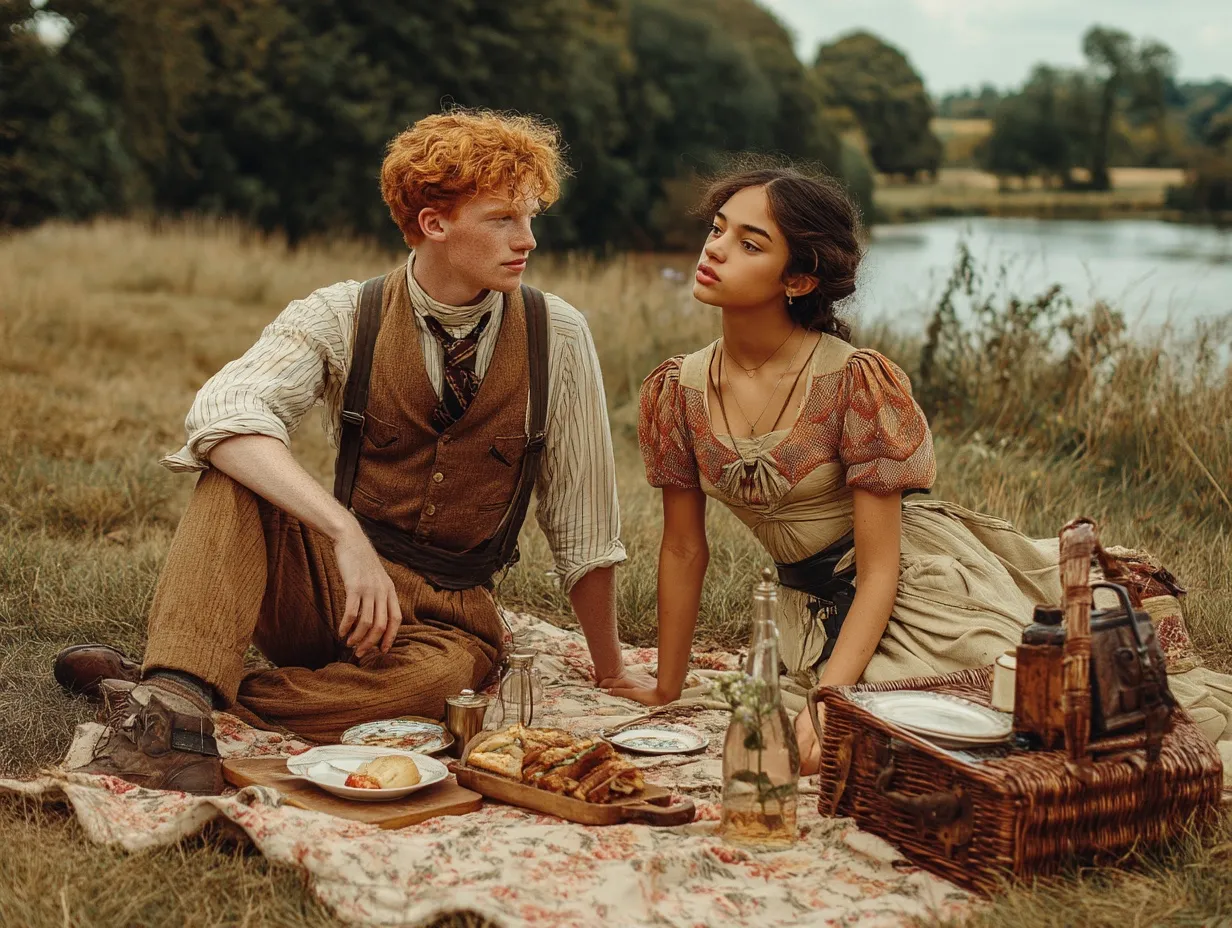
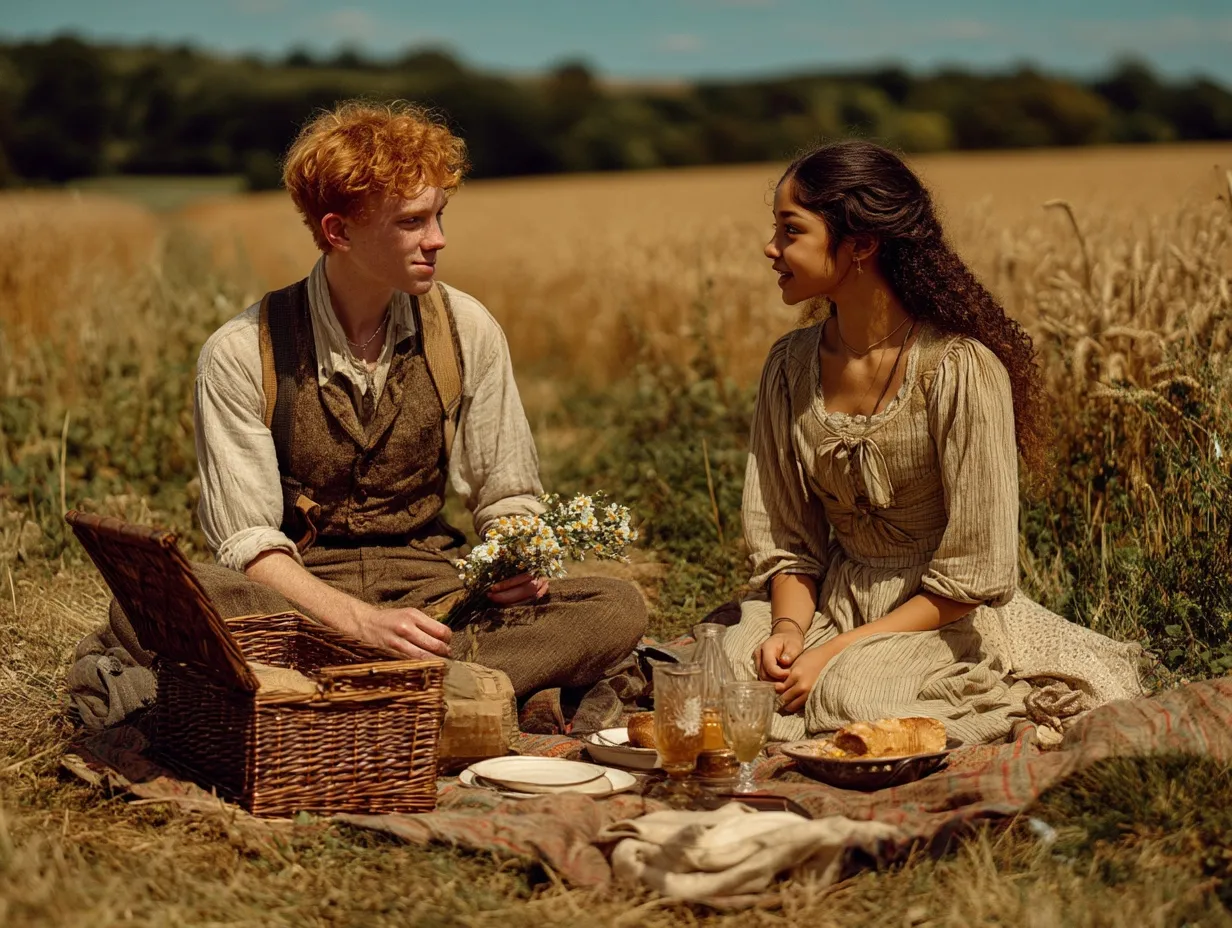
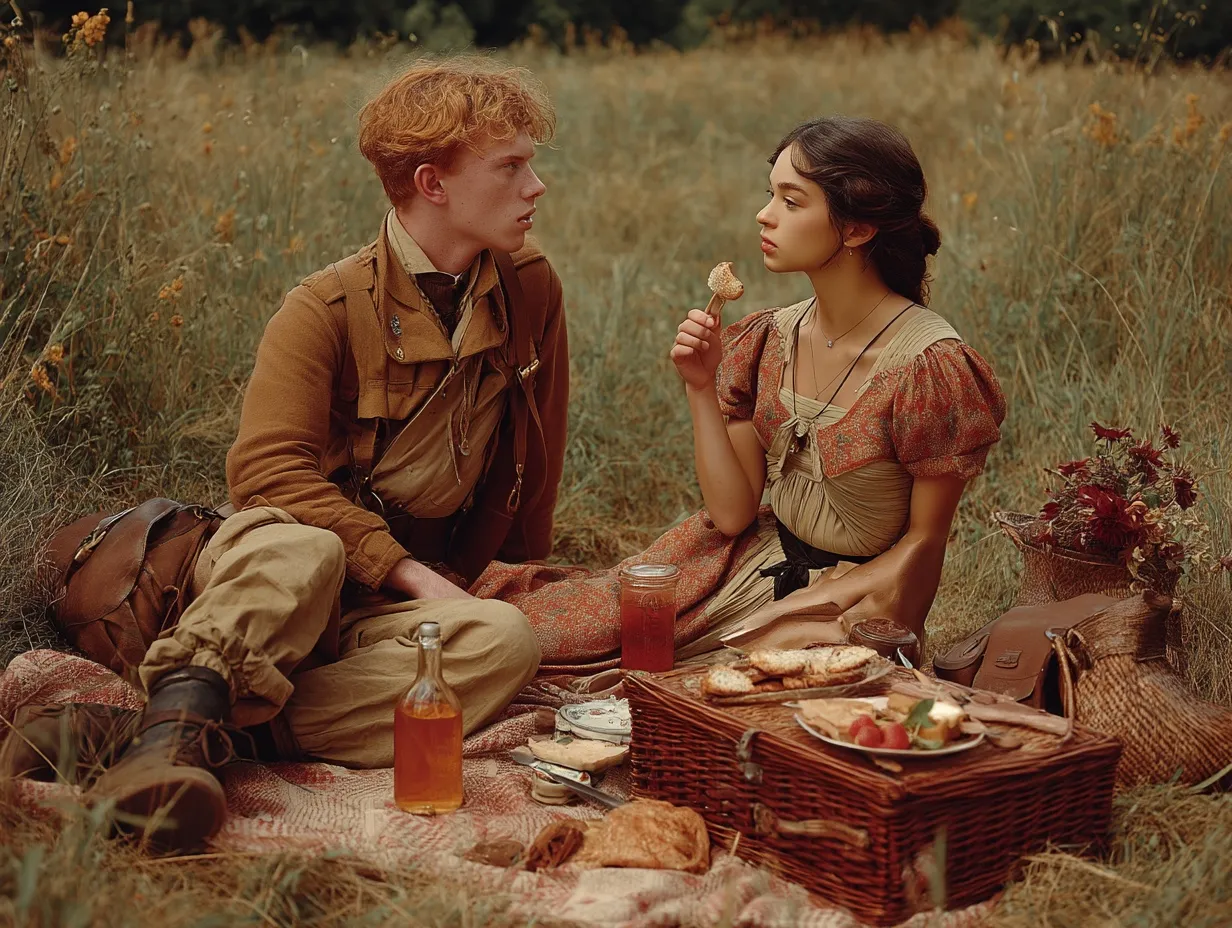
While the images were beautiful, they weren’t as faithful to the characters’ appearances as I would have liked. Omni Reference has a slider to specify the strength of the reference’s influence on the output. I’ll play with that more in the future, but in the meantime I wanted to try Runway’s image generation.
Runway lets you provide multiple references and specify their names as tags in the prompt:
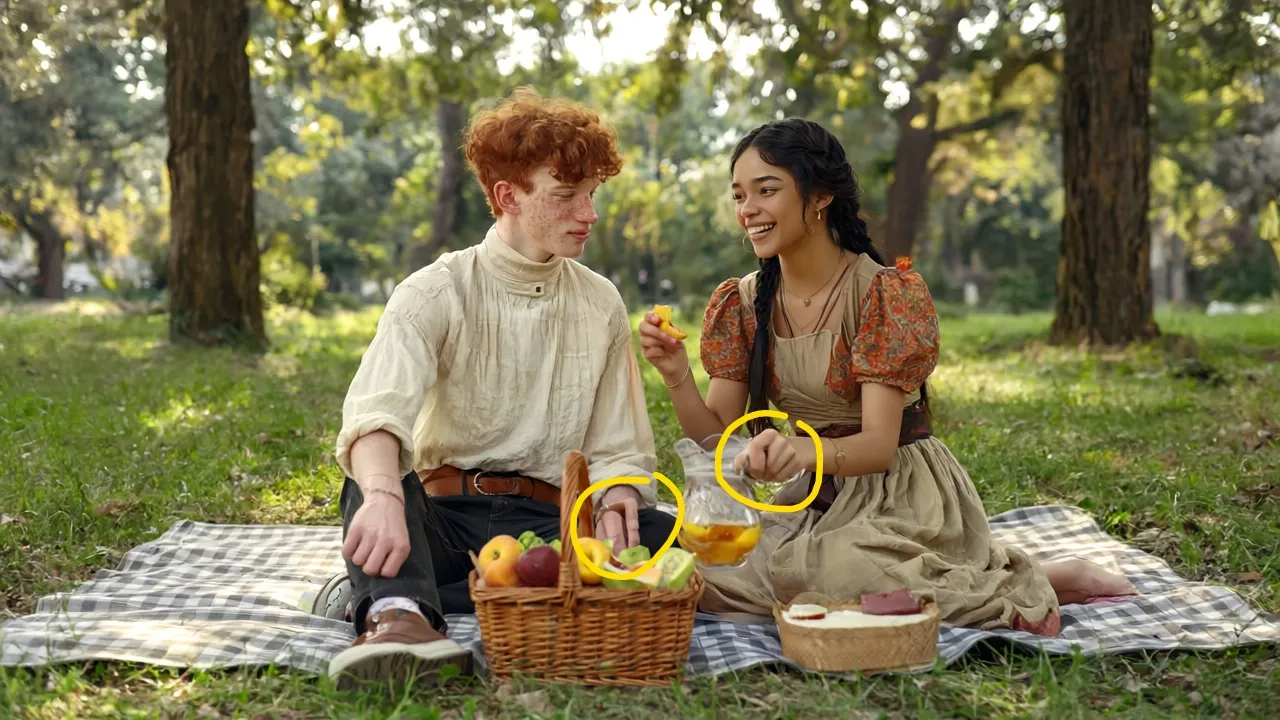
A photograph of @Carter and @Maya enjoying a picnic together
Runway’s use of the image references was great! But it struggled with making realistic hands. I got better (though still imperfect!) results when I used the “Vary” function to re-run the prompt with slight variation:
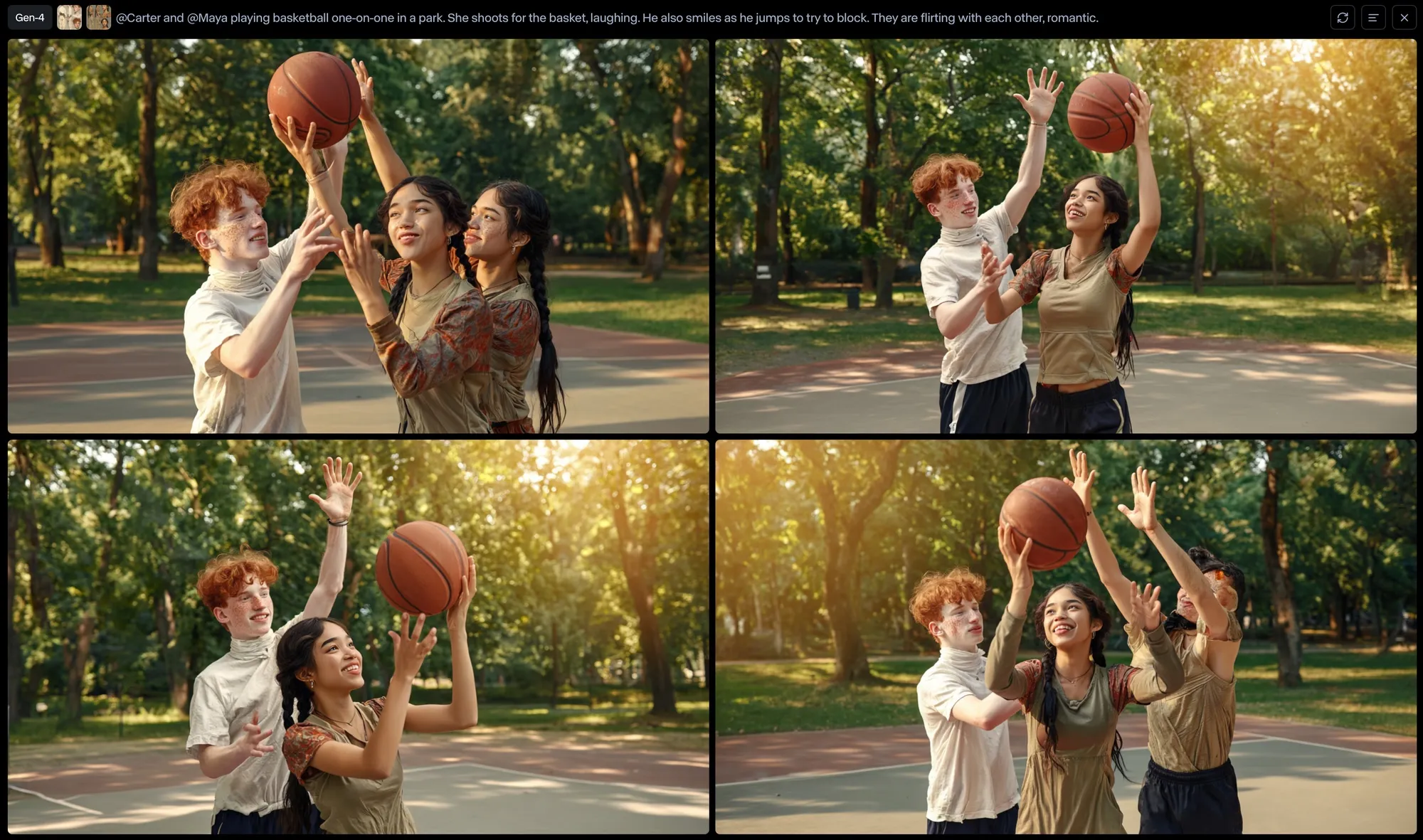
I decided to put Carter and Maya in a new situation: basketball. Runway gave me lots of weird results with extra people and distorted hands:
But at least one of them was decent:
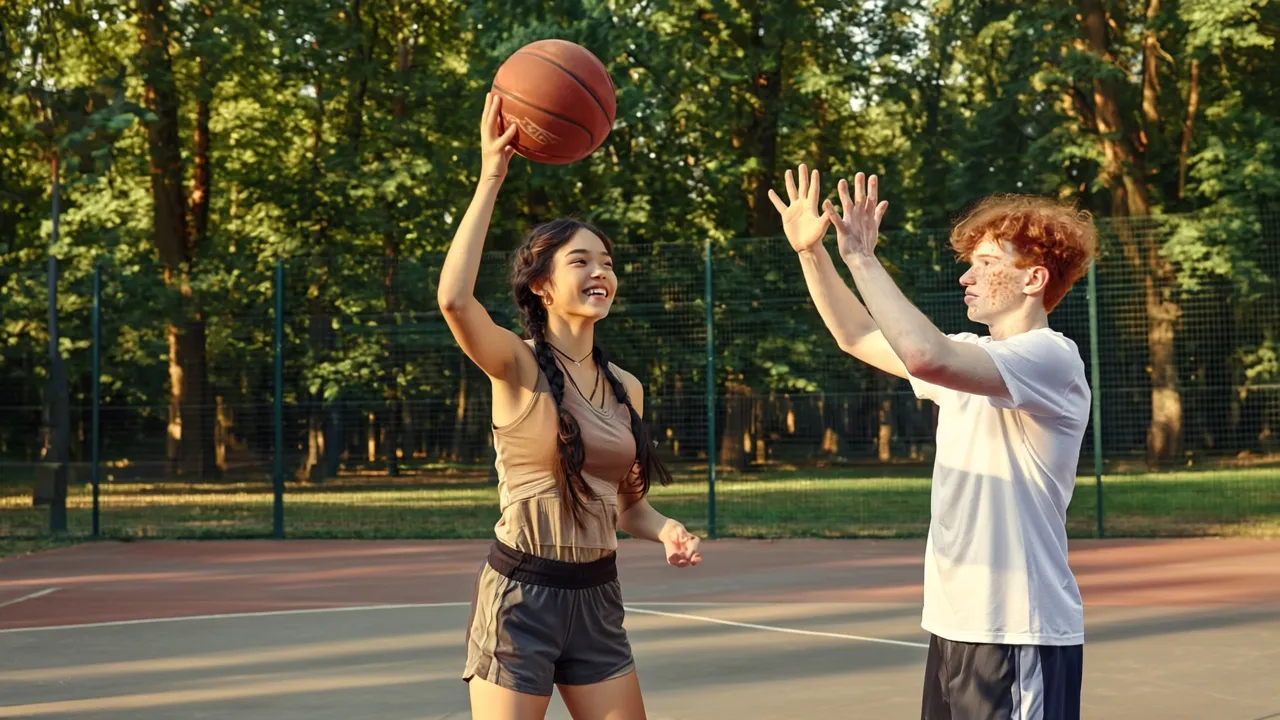
@Carter and @Maya playing basketball one-on-one in a park. She shoots for the basket, laughing as he tries to block. They are flirting with each other, romantic.
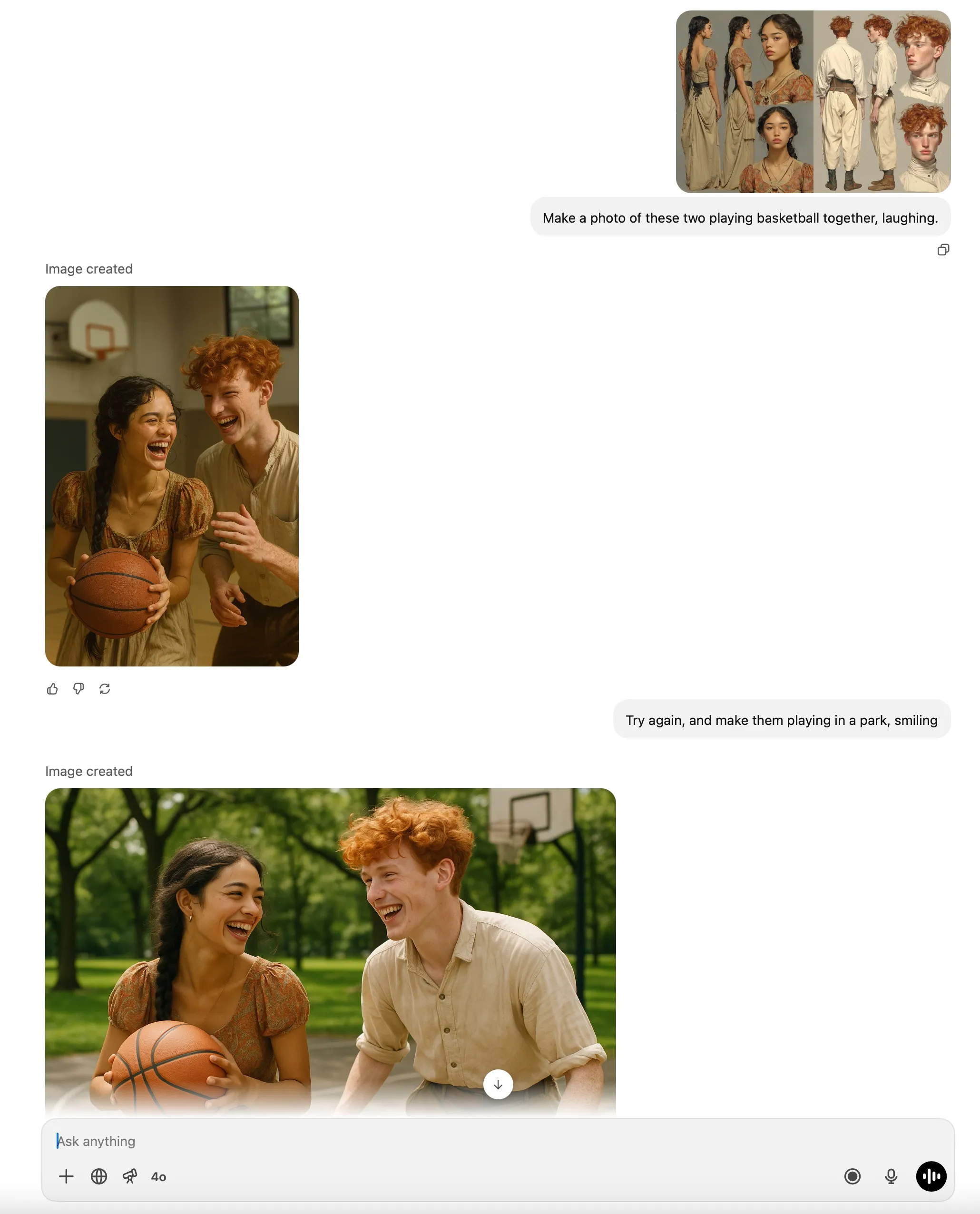
ChatGPT also did a good job:
I decided to import Carter and Maya to Veo 3 to bring them to life.
Bringing Them to Life
Veo 3 supports providing a first frame, so I used the image from Runway with this prompt:
They play basketball, laughing
Veo 3 automatically added dialogue—pretty cool!
There have been some neat tricks to use with Veo 3 that have been going around on Twitter recently, including using a first frame alongside the prompt:
Instantly jump cut on frame 1 to [new context].
One of the best examples is this one:
Veo has an incredible “hidden” ability.
It’s one of my absolute favorite aspects of Veo 3 i2v. It’s ability to transport elements through the latent space, with this simple but very powerful prompt structure:
“Instantly jump/cut on frame 1. [Describe the new context]”
With…
—Martin Nebelong (@MartinNebelong)
It basically exploits an emergent capability of the video model to add support for faithfully integrating a reference into a video of a completely different situation.
I wanted to try this technique with my characters, so I tried uploading Carter’s character sheet as a first frame. Uh oh:
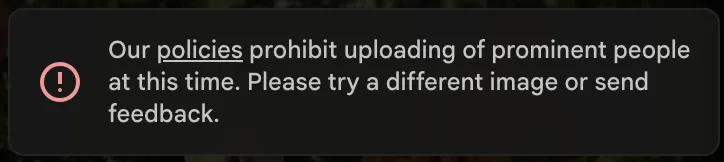
For some reason, Veo thinks Carter is already famous! How about Maya? Same error.
I was finally able to get it to work by generating a new image of Carter in Midjourney, using his character sheet as an Omni Reference:
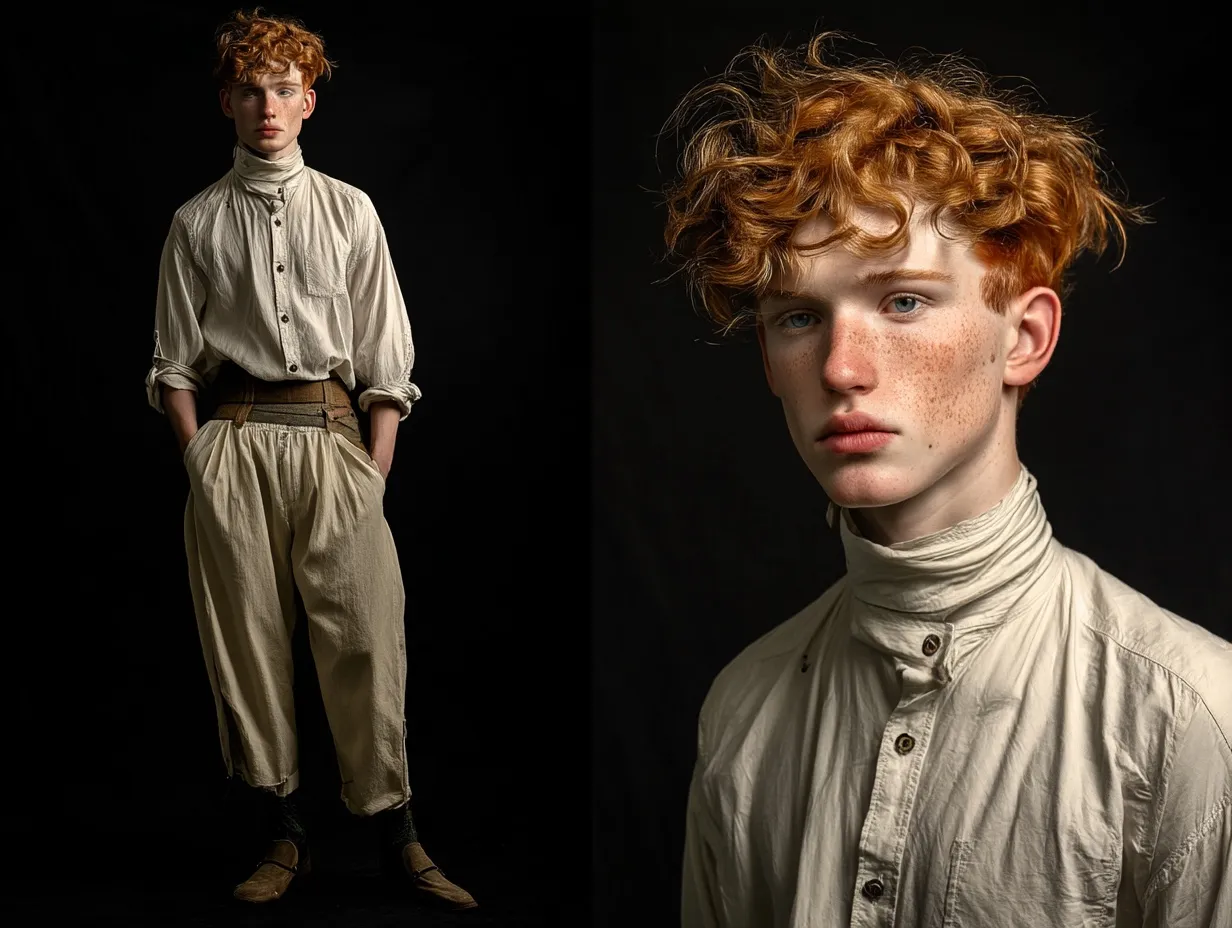
Portrait of a young man. He poses for the photograph on a black background. Studio lighting. Cinematic.
Veo accepted this, so I tried the first-frame-cut technique:
Instantly jump cut on frame one to a medium shot of the young man typing on a laptop in a sleek futuristic lab. He is intensely focused on his work.
Nice!
Wrap-up
I hope you found it interesting to see how I created Carter and Maya and made my first clips of them in different situations. I can’t wait to tell more of their story!
Be here for the next chapter.
Get occasional notes from behind the scenes and a heads-up when Skyglass premieres.